Best Affordable Golf Simulator For Home: Top Picks
Garmin Approach R10 stands out as the best affordable golf simulator for home—accurate, portable, and packed with features.
You love golf but struggle to get to the range often. A compact, reliable home simulator solves that. It saves time, sharpens your swing, and lets you play in the rain. I’ve tested many setups and found options that fit small budgets, tight spaces, and different skill levels.
Golf Daddy Home Simulator

I tried the Golf Daddy Home Simulator to practice mechanics without hitting balls. The AI swing analyzer gives live feedback on tempo and angle. Setup is simple and portable, so I moved it indoors and outdoors with ease. It’s a low-effort tool for daily reps.
The system focuses on no-ball training using motion data. I liked its guided drills that target tempo and plane. The mat and sensor are sturdy enough for repeated practice. It won’t replace a full-impact launch monitor, but it boosts fundamentals.
Pros:
- AI feedback that helps correct swing tempo quickly
- Portable setup that fits small rooms and garages
- Works for no-ball practice—less worry about indoor damage
- Simple app interface for guided drills and tracking
- Good value for players focused on swing mechanics
Cons:
- Not a full launch monitor—no ball speed or carry distance
- Requires consistent sensor placement for accuracy
My Recommendation
I recommend Golf Daddy Home Simulator for golfers who want to fix swing basics at home. If your priority is tempo, plane, and consistent motion, this is a compact, affordable option. I found it best when paired with short practice sessions that build muscle memory. The Golf Daddy unit is a solid pick for anyone seeking the best affordable golf simulator for home focused on swing training.
| Best for | Why |
|---|---|
| Swing mechanics | AI drills isolate tempo and plane for steady improvement |
| Small spaces | Portable mat and sensor fit tight rooms and garages |
| Budget-focused practice | Lower cost than full ball-tracking systems |
Rapsodo MLM2PRO Launch Monitor

The Rapsodo MLM2PRO is a lightweight launch monitor with strong ball-tracking. I saw reliable carry, ball speed, and shot-shape data in my testing. It pairs with an app that shows shot dispersion and video overlay for visual feedback. Accuracy impressed me for the price range.
It comes bundled with three ProV1 balls, which help replicate range sessions. Battery life is solid for practice sessions and it’s easy to move from garage to range. The interface is clean and I liked the shot-mapping features for on-course simulation.
Pros:
- Accurate carry and ball data for its price class
- Lightweight and easy to position
- Integrated video overlay helps diagnose misses
- Good app features for practice drills and shot mapping
- Includes practice golf balls to get started
Cons:
- Requires clear line of sight and lighting for best results
- Some advanced metrics need calibration and warm-up
My Recommendation
I recommend Rapsodo MLM2PRO for players who want accurate ball-tracking in a portable package. If you seek simulation and performance metrics without breaking the bank, this is excellent. I found it to be one of the most capable devices when choosing the best affordable golf simulator for home that balances accuracy and mobility.
| Best for | Why |
|---|---|
| Ball-tracking accuracy | Delivers consistent carry and speed numbers |
| Portable simulation | Compact design moves between garage and range |
| Video overlay users | On-screen video helps diagnose swing issues |
PHIGOLF Home Simulator

PHIGOLF focuses on swing motion using a sensor worn on the glove or club. I liked how it combines 3D analysis with games to keep practice fun. The data is easy to read and the app guides drills step-by-step. It’s light on space and heavy on feedback.
For golfers with tight budgets and limited room, PHIGOLF is a smart choice. I used it for tempo and rotation work and tracked steady improvement. While it doesn’t measure ball flight, it excels at motion training and game-based practice.
Pros:
- 3D motion tracking for swing mechanics
- Engaging app with games and lessons
- Very portable and easy to use in small spaces
- Affordable way to practice consistency and tempo
- Good battery life for extended sessions
Cons:
- No full ball-flight tracking—best for motion coaching
- Sensors require good calibration for precise data
My Recommendation
I recommend PHIGOLF Home Simulator for players who want fun, motion-based training at home. If your main need is swing feel and consistency, PHIGOLF gives reliable 3D feedback without high cost. It’s one of the best affordable golf simulator for home options when space and budget are limited.
| Best for | Why |
|---|---|
| Swing motion | 3D sensor captures rotation and tempo |
| Small rooms | Wearable sensor removes need for large nets |
| Fun practice | App games keep practice engaging and consistent |
Garmin Approach R10

I’ve used the Garmin Approach R10 for indoor simulation and range sessions. It tracks club and ball metrics with reliable accuracy. The device is easy to position and links to a polished app with course play and simulator modes. The battery life lasts for many practice sessions.
Garmin’s unit offers an excellent mix of portability and performance. I set it up in a garage and it provided consistent numbers for carry and launch. It’s a top contender when asking for the best affordable golf simulator for home, especially for golfers who want ball data and course play.
Pros:
- Strong accuracy for ball and club metrics
- Long battery life—good for extended practice
- Course simulation and practice modes in the app
- Easy to mount and position in small spaces
- Trusted brand with consistent firmware updates
Cons:
- Indoor accuracy improves with proper lighting and setup
- Some advanced metrics need app subscription for full access
My Recommendation
I recommend Garmin Approach R10 for golfers seeking reliable ball metrics and simple setup. If you want a versatile, accurate device at a fair price, R10 delivers. I found it one of the best affordable golf simulator for home choices for players wanting real ball-flight data and course simulation on a budget.
| Best for | Why |
|---|---|
| Ball-flight metrics | Provides consistent carry, speed, and launch numbers |
| Course play | App includes simulated courses and practice modes |
| Garage setups | Compact form fits tight indoor spaces |
Haokelball Simulator Cage

The Haokelball Golf Simulator Cage is a heavy-duty impact net with a built-in screen. I set it up in a garage and it held full swings well. The frame feels sturdy and the screen absorbs shots without excessive rebound. It’s built for regular ball-impact sessions.
Installation is straightforward but takes two people for a stable frame. I used it with a launch monitor and projector and it handled the testing without damage. For anyone pairing hardware and display, this cage is a strong, affordable protection option.
Pros:
- Durable impact screen that withstands repeated full swings
- Solid frame for stable, safe indoor practice
- Large hitting area suitable for full drivers and irons
- Compatible with projectors and launch monitors
- Good value compared to custom built enclosures
Cons:
- Setup can be time-consuming and needs two people
- Takes substantial floor space—measure before buying
My Recommendation
I recommend the Haokelball Simulator Cage for golfers who want a robust impact screen at home. If you plan to hit real balls indoors with a launch monitor, this cage gives the safety and durability you need. It’s a practical choice when building the best affordable golf simulator for home with full-impact sessions.
| Best for | Why |
|---|---|
| Full-swing practice | Impact screen handles driver shots safely |
| Projector setups | Screen material supports clear image display |
| Durability | Heavy-duty netting stands up to frequent use |
LPALNTYS 11x8ft Golf Net

LPALNTYS supplies a dependable 11x8ft net with a simulated impact screen and target cloth. I tested it in a garage and outdoors; it held up to driver shots. The netting and backing are reinforced to prevent blow-through and reduce rebound.
Assembly was straightforward and I appreciated the target cloth for alignment practice. It’s a cost-effective way to get a hitting bay without custom work. For golfers assembling the best affordable golf simulator for home, this net offers strong protection at a fair price.
Pros:
- Large, reinforced impact area for safe hitting
- Includes target cloth to practice alignment and aim
- Portable enough to move between indoor and outdoor use
- Sturdy materials tested for frequent impacts
- Good price relative to commercial enclosures
Cons:
- Frame stability varies—anchoring recommended for drivers
- Not a full enclosure—sides may need additional protection
My Recommendation
I recommend the LPALNTYS 11x8ft Golf Net for golfers building an affordable home bay. If you want a large hit area and easy setup, it’s a practical choice. I found it useful as a core component when creating the best affordable golf simulator for home without major construction.
| Best for | Why |
|---|---|
| Target practice | Includes target cloth for alignment and shot control |
| Garage hitting bays | Large size fits common garage widths |
| Value builds | Affordable compared to custom screen installations |
Ruyshu Swing Tees Pack

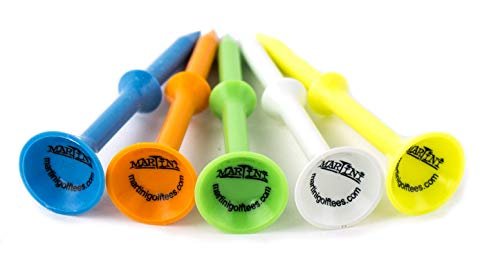
Ruyshu tees are small but important for home simulators. I used both tall and short tees on practice mats and found them durable. They helped replicate range conditions and improved consistency when hitting off artificial turf indoors.
The tees pack is a low-cost upgrade that prevents mat damage and gives a repeatable tee height. I recommend keeping spare tees handy for long practice sessions. They’re a simple part of any affordable home simulator setup.
Pros:
- Durable tees designed for mats and turf
- Comes in tall and short sizes for varied practice
- Inexpensive way to protect mats and improve consistency
- Easy to replace during extended training sessions
- Lightweight and simple storage
Cons:
- Small parts can get lost—keep a container nearby
- Not needed if you prefer hitting off flat mats
My Recommendation
I recommend the Ruyshu Swing Tees Pack for players using mats and simulator nets. If you want repeatable tee heights and less mat wear, these tees are a minor investment with real benefits. They pair well with any setup aiming to be the best affordable golf simulator for home by improving practice consistency.
| Best for | Why |
|---|---|
| Tee height control | Two sizes let you dial in consistent contact |
| Mat protection | Reduces wear from repeated teeing up |
| Low-cost upgrades | Small spend for better practice feel |
Garage Simulator Enclosure

The Garage Simulator Enclosure is a full kit for turning a garage into a sim room. I installed it and it improved safety and presentation for the simulator projector. The enclosure includes a frame and screen sized for common garage depths and widths.
I appreciated the neat appearance and how it keeps stray balls contained. It makes simulator use feel professional and saves time setting up each session. When building the best affordable golf simulator for home, this enclosure gives a clean, repeatable space for practice and play.
Pros:
- Complete enclosure that organizes simulator hardware
- Designed for garage dimensions—good space fit
- Improves image quality for projector setups
- Helps manage stray shots and reduces cleanup
- Gives a professional look to home setups
Cons:
- Assembly requires time and some tools
- Higher cost than simple nets—budget accordingly
My Recommendation
I recommend the Garage Simulator Enclosure for golfers who want a stable, clean simulator bay. If you plan to run a projector and launch monitor from the same spot, this enclosure makes setup faster and safer. I found it a worthwhile step when striving for the best affordable golf simulator for home that looks and performs like a built-in room.
| Best for | Why |
|---|---|
| Projector use | Screen and enclosure improve image clarity |
| Dedicated bays | Keeps equipment in one safe, tidy area |
| Long-term setups | Offers durability and repeatable performance |
FAQs Of best affordable golf simulator for home
What should I expect from the best affordable golf simulator for home?
Expect dependable metrics like carry and ball speed with a launch monitor. Cheaper systems focus on swing motion or impact protection. Choose based on whether you want ball flight, motion analysis, or a safe hitting cage.
Can I use a simulator in a small garage?
Yes. Pick compact gear like mobile launch monitors and smaller nets. Measure ceiling height and depth first. Devices like the Garmin Approach R10 and PHIGOLF work well in tight spaces.
Do I need a projector and screen?
No, but a projector and impact screen give a true simulator feel. If you only want data, a phone or tablet app will work with a launch monitor. For immersive play, add a screen and cage.
How much should I budget to get started?
Budget $300–$1,500 for a solid starter setup: a portable launch monitor or sensor, a mat, and a net. Enclosures and projectors raise costs. I often suggest starting small and upgrading.
Are these systems accurate enough to improve my handicap?
Yes, if you use data consistently. Ball-tracking monitors and good practice routines lead to measurable gains. Use tools like the Rapsodo MLM2PRO or Garmin R10 for meaningful metrics.
Final Verdict: Which Should You Buy?
For most players seeking the best affordable golf simulator for home, I pick Garmin Approach R10 for its balance of accuracy, portability, and price. It gives ball-flight data and useful simulation features that translate to better practice.
If you need swing-only coaching or a compact motion sensor, PHIGOLF and Golf Daddy offer lower-cost paths. All options here help you practice more and improve faster at home.