How Far From Screen Golf Simulator: Optimal Setup Tips
Stand roughly 8 to 12 feet from the screen for most indoor golf simulators for best tracking.
With years of hands-on experience setting up home and commercial golf simulators, I’ll walk you through how far from screen golf simulator setups should be, and why distance matters. This guide covers ideal distances, room dimensions, simulator tech, and practical tips you can use today to get accurate shot data and a better feel for the game.

Optimal Distance: How Far from Screen Golf Simulator
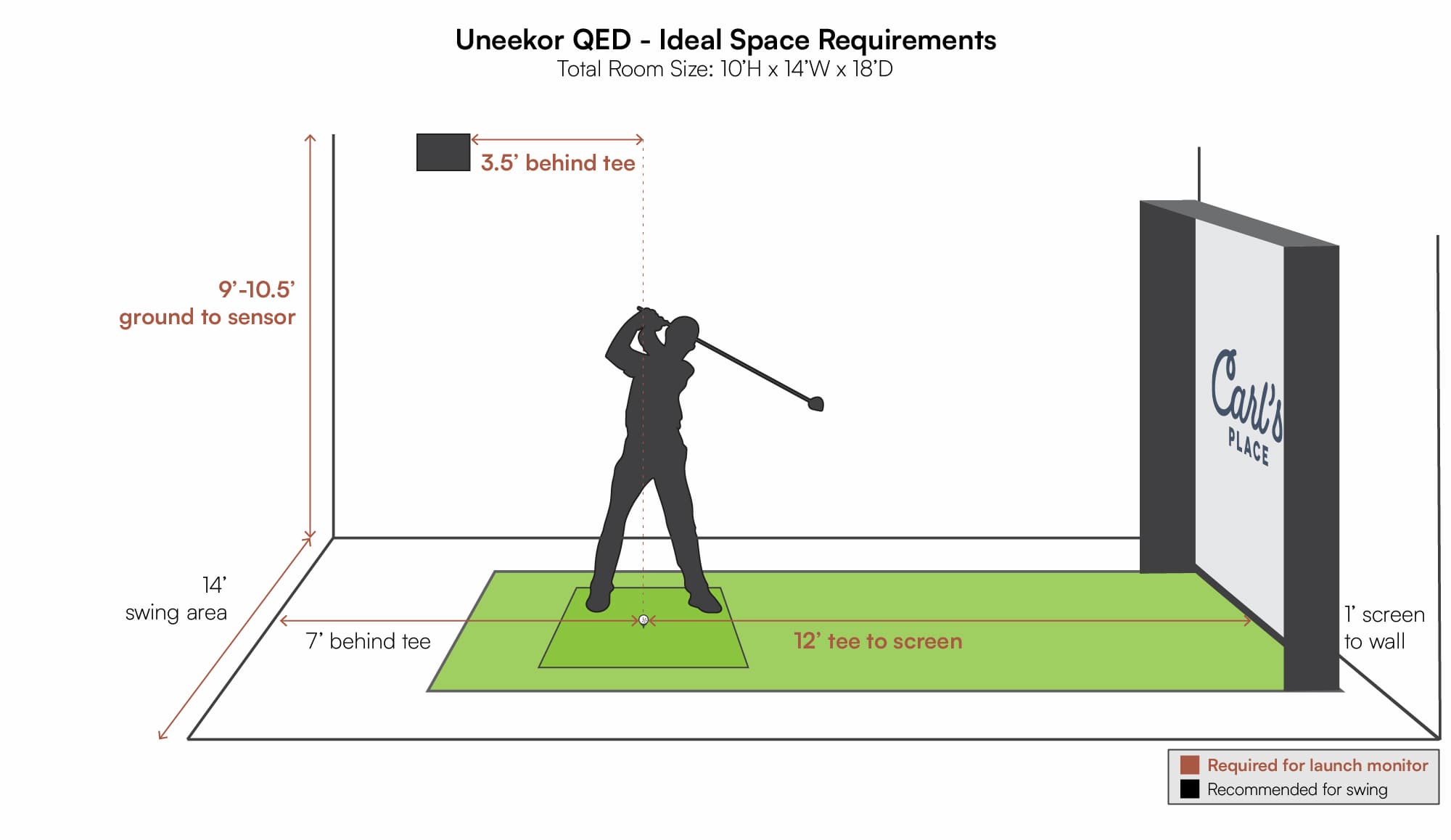
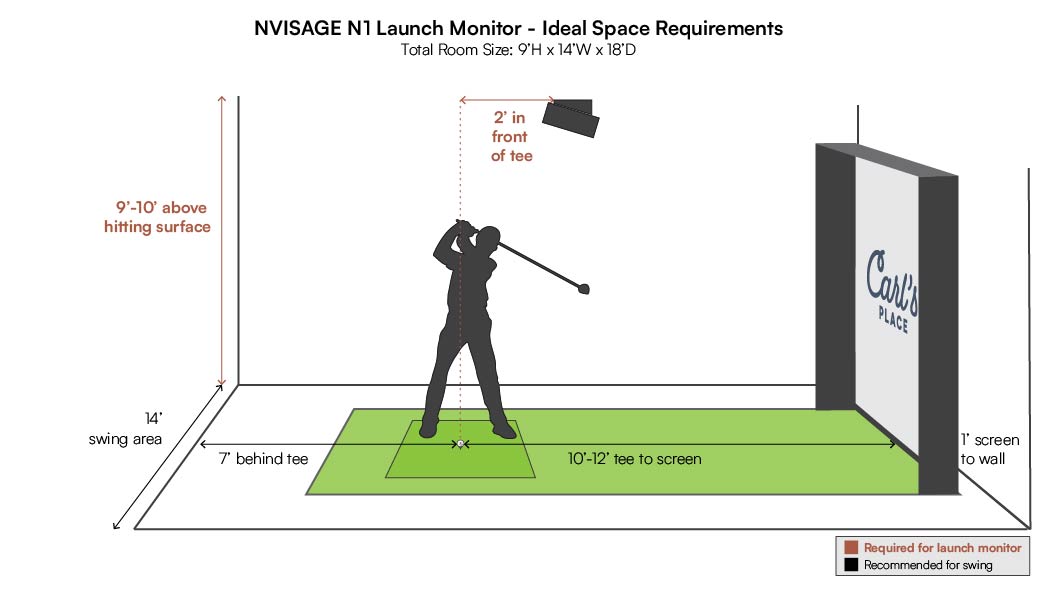
Choosing how far from screen golf simulator users should stand is key to accuracy. Most systems perform best when the hitting position is between 8 and 12 feet from the impact screen. Shorter distances can skew launch angle and fish-eye the ball image, while much longer distances can reduce screen visibility and make space inefficient.
A good baseline is 10 feet for general use. For full-swing shots with drivers, some setups nudge toward 12 feet. For chipping and short irons, 8 to 9 feet often works well.
If you have a projector, factor in the throw and visibility. Test with a few shots and adjust in small steps until the simulator reports consistent launch data.
Factors Affecting How Far from Screen Golf Simulator
Several factors change the ideal answer to how far from screen golf simulator units should be placed. These include the simulator type, sensor layout, projector throw, and the player’s swing size. Each factor nudges the recommended distance up or down.
Sensor-based launch monitors that track ball flight with cameras often require more space. Radar-based systems sometimes perform acceptably in tighter spaces but can lose precision near walls. Play style matters too. A strong swinger who needs a full follow-through should add extra clearance.
Lighting, screen material, and net tension also matter. Poor lighting or a loose screen can create odd readings no matter the distance.
Room Setup and Dimensions for How Far from Screen Golf Simulator
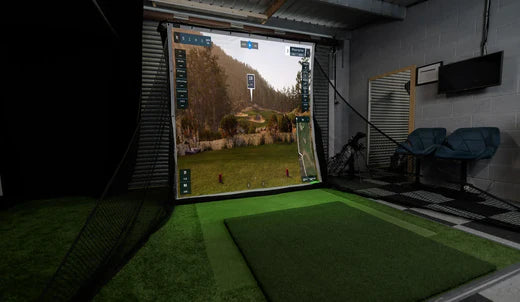
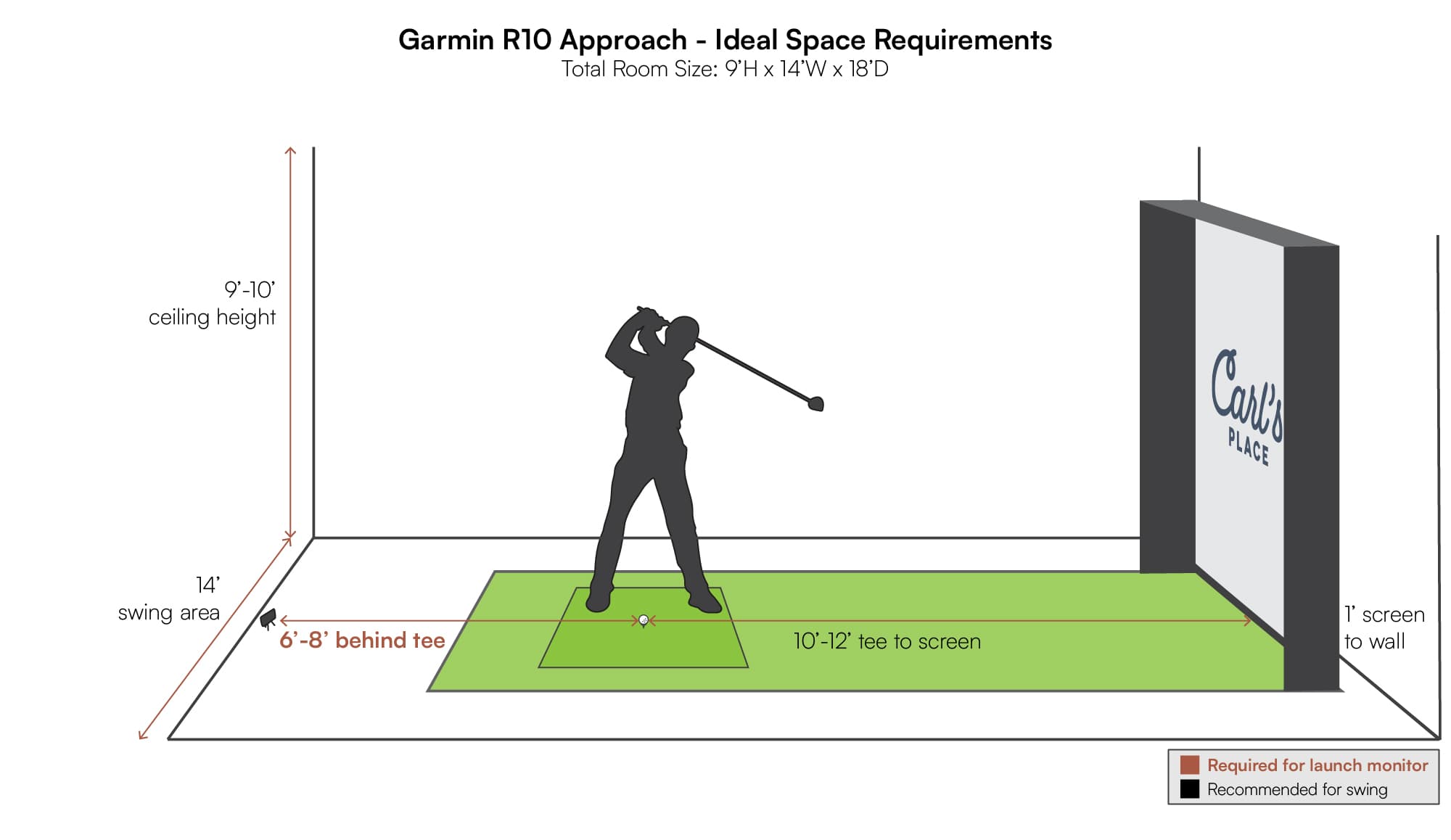
Plan your room by measuring length, height, and width. For most players asking how far from screen golf simulator setups should be, a room length of 14 to 18 feet is ideal. That allows a 10-foot hitting distance, room behind the screen for a projector, and safe buffer for full swings.
Ceiling height of at least 9 to 10 feet helps with driver shots. Narrow rooms require careful club selection and a higher screen to avoid strikes. Layout tips:
- Place the tee area so the player faces the screen squarely.
- Allow 3 to 5 feet behind the player for stance and movement.
- Keep the projector aligned and out of the swing path.
A taped test helps. Mark the hitting spot and move back and forth. Check data quality and comfort.
Simulator Types and Technology That Influence How Far from Screen Golf Simulator
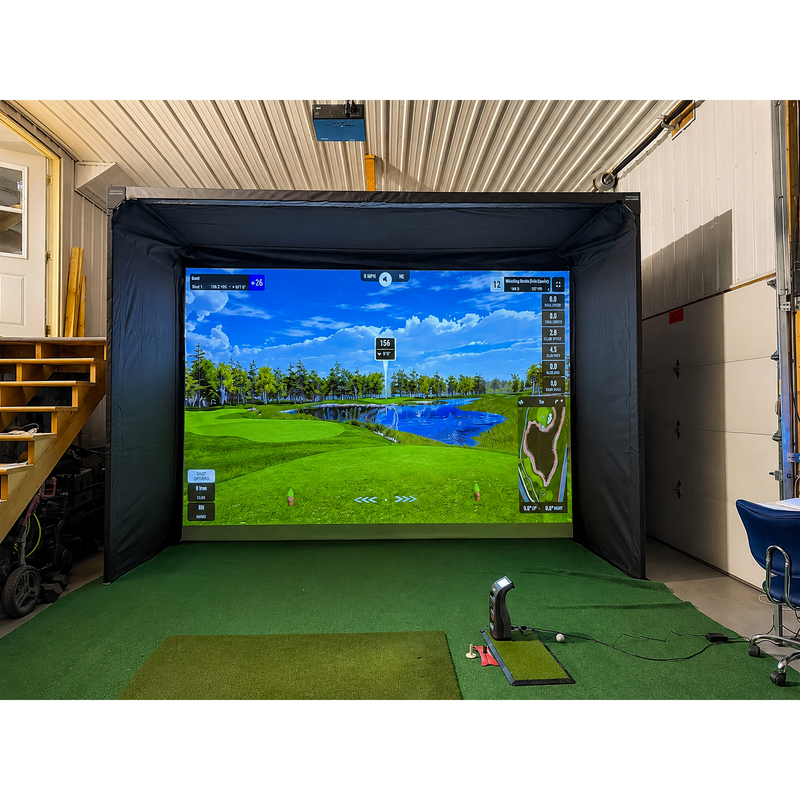
Different simulators change the distance you need. Camera-based systems need clear lines to the launch point. Infrared and high-speed cameras often want more distance to capture full ball flight. Radar systems track ball movement after impact and can sometimes work closer.
Some lower-cost mat-and-impact systems rely on sensors in the mat. Those can work in tighter spaces but may not read spin accurately. Projector type also affects throw distance. Short-throw projectors let you get closer to the screen but may cost more.
Match the tech to your room. If your space is small, choose systems designed for compact rooms and confirm recommended distances from the manufacturer.
Practical Tips and Common Mistakes About How Far from Screen Golf Simulator
Simple checks save time and money. Start by following the manufacturer’s recommended distance for how far from screen golf simulator units to place the hitting spot. Then fine-tune it with test shots.
Common mistakes to avoid:
- Ignoring ceiling height and risking broken lights.
- Placing the projector in the swing zone.
- Using a loose screen that changes impact characteristics.
- Expecting perfect spin data in rooms that are too short.
Use alignment aids and tape marks. Record a few swings on video to confirm stance and distance. Small tweaks often improve accuracy dramatically.
Personal Experience and Lessons Learned About How Far from Screen Golf Simulator
From my own setups, I learned to favor a compromise between data accuracy and comfort. One client insisted on a 7-foot setup to save space. Data fluctuated. Moving to 10 feet stabilized spin and carry numbers. Lesson learned: a few extra feet are worth it.
I also once placed a short-throw projector too low. A stray wedge hit damaged it. Now I always mount projectors well above the swing plane. Trust your eyes and the data equally. If numbers feel off, change distance in 6-inch increments until values match real-world shots.
Practical takeaway: test early, safety-check everything, and be willing to move the tee position for better results.

Frequently Asked Questions of how far from screen golf simulator
What is the single best distance for most home setups?
Most home setups work best at 8 to 12 feet from the screen. Ten feet is a common sweet spot balancing accuracy and space.
Can I use a golf simulator in a 10-foot room?
Yes. In a 10-foot room you can set up a simulator but expect limited driver swing space. Choose a compact system and short-throw projector.
Will being closer to the screen affect launch angle readings?
Yes. Being too close can distort launch and angle readings for camera-based systems. Move back in small steps to correct odd values.
Do radar-based simulators need the same distance as camera systems?
Not always. Radar units can sometimes operate in tighter spaces but may lose accuracy for spin and short shots. Check specific system recommendations.
How much ceiling height do I need for full swings?
Aim for 9 to 10 feet minimum for comfortable driver swings. Lower ceilings can work for irons but restrict full drives.
How far from screen golf simulator should kids stand?
Kids can stand a bit closer if their swing is smaller. Keep safety and screen protection in mind, and verify data quality at the reduced distance.
Conclusion
Finding how far from screen golf simulator setups should be is about balance. Aim for 8 to 12 feet as your starting point. Then test, adjust, and prioritize safety and data consistency.
Try a taped test and adjust in small steps until numbers feel right. If you enjoyed this guide, leave a comment with your room size or subscribe for more setup tips.