How Do You Putt On A Golf Simulator: Pro Tips To Sink Putts
Putt on a golf simulator by matching your real-world setup, stroke, and speed control to the simulator’s feedback.
I’ve spent years testing simulators and practicing indoor golf. In this article I’ll walk you through exactly how do you putt on a golf simulator, step by step. You’ll learn how simulators read your stroke, how to set up for true speed and line, which drills help most, and how to avoid common mistakes. Expect clear, practical advice you can use the next time you step onto a mat or into a bay.

Why practicing putting on a golf simulator matters
Putting makes up roughly half the strokes in a round. Practicing indoors on a golf simulator helps you refine speed control and green reading in a controlled setting. Good simulator sessions translate to better confidence and fewer three-putts outdoors.
Simulators capture data like ball speed, roll, and break. When you practice how do you putt on a golf simulator, you work on measurable parts of the stroke. This focused feedback speeds learning and highlights weak spots faster than blind repetition.
Understanding how simulators track putting and what changes from on-course putting
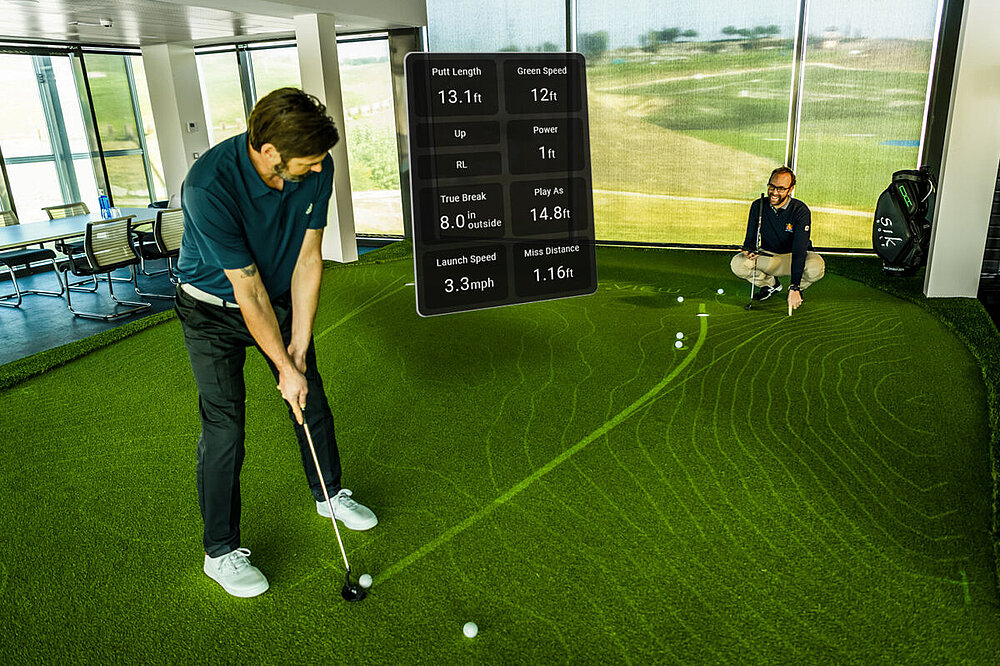
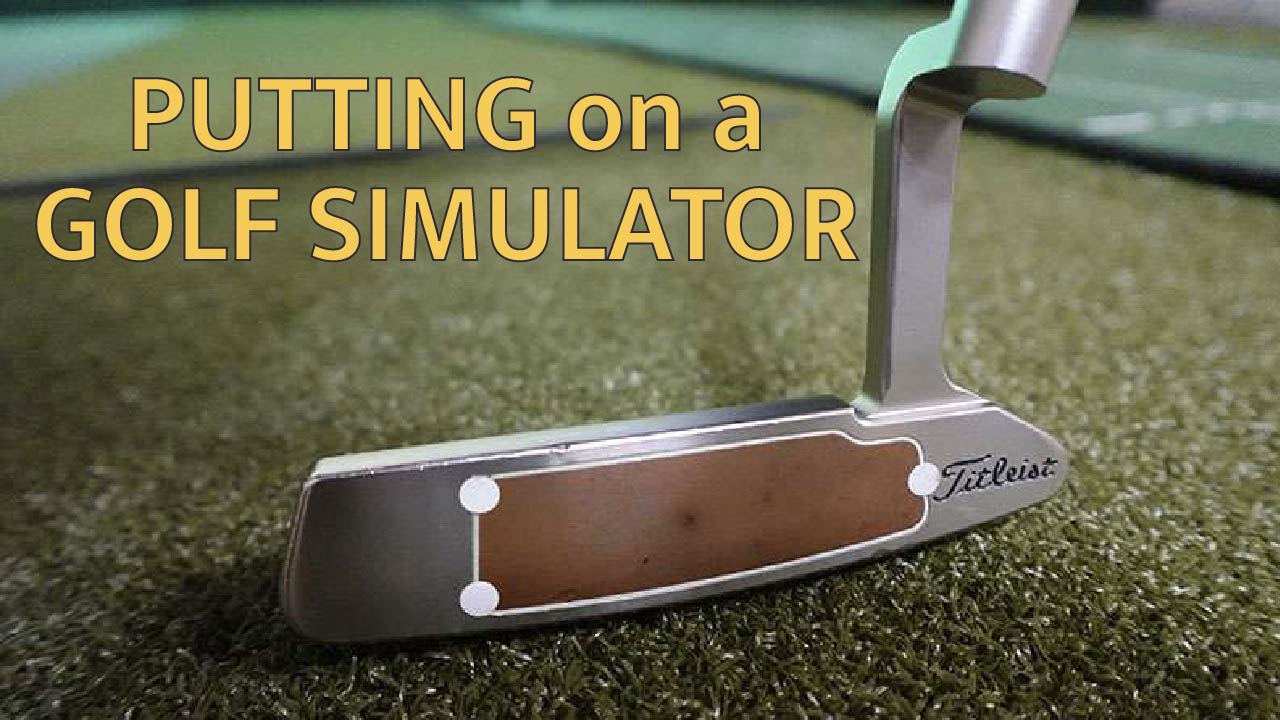
Simulators use cameras, infrared sensors, or launch monitors to read ball movement. They track roll distance, launch, spin, and initial direction. Some systems model green contours using software that converts sensor input into break and speed.
That means putting indoors depends on calibration and software physics. If you ask how do you putt on a golf simulator, remember the device interprets your stroke through sensors. The better the calibration, the closer simulator feedback will match real greens.

Step-by-step setup for putting on a golf simulator
- Position your mat and cup
- Place your mat level and stable. Aim the mat so the simulated hole is centered in your view.
- If possible, use a real-style cup or a marked target to anchor aim.
- Calibrate green speed and surface
- Choose a green speed that matches your practice goals. If unsure, start with medium speed.
- Run a short calibration routine if the software offers one.
- Set camera, lighting, and ball type
- Bright, even lighting helps camera-based systems. Avoid direct sunlight or glare.
- Use a ball the system recommends; color and markings can affect tracking.
- Check camera angles and distance markers
- Confirm the camera sees the whole putting area. Place a marker 3–4 feet behind the ball to check alignment.
- Ensure the hitting surface is smooth and the ball rolls consistently.
- Warm up and set a practice plan
- Start with short putts to build feel, then work out to longer distances.
- Record baseline metrics like make percentage at 6, 10, and 20 feet.
When practicing how do you putt on a golf simulator, setup is half the battle. A small calibration fix can make your session much more accurate.

Technique and fundamentals: stance, stroke, alignment, and reading virtual greens
Stance and setup
- Stand with feet shoulder-width or slightly narrower.
- Place eyes over or just inside the ball line to help target alignment.
- Grip softly to promote a smooth arc.
Stroke basics
- Use a pendulum motion from the shoulders.
- Keep wrists quiet through impact.
- Control the backswing length to manage speed instead of chopping at the ball.
Alignment tips
- Use an alignment stick or seam on the mat. Mark the line on the mat if needed.
- Check the simulator’s aim line when available, but cross-check with your eye.
Reading virtual greens
- Look for subtle slope cues in the simulator’s green map.
- Imagine the break a few feet before the ball to pick a target line.
- Trust speed first; speed often trumps perfect line when making putts.
Speed control
- Practice distance drills to calibrate how much backswing creates how much roll.
- Note that indoor mats can be faster or slower than outdoors; measure consistently.
When you work on how do you putt on a golf simulator, focus on the same core mechanics you’d use outside. The simulator is feedback, not a crutch.

Common mistakes and how to fix them on simulators
Mistake: Relying only on visuals
- Fix: Use feel and consistent setup. Confirm alignment with a physical marker.
Mistake: Too tight grip and wrist movement
- Fix: Loosen grip pressure and practice shoulder-led strokes.
Mistake: Ignoring the software’s settings
- Fix: Calibrate green speed and use consistent ball type. Re-check settings before each session.
Mistake: Poor lighting and camera view
- Fix: Improve lighting and reposition camera. Clean the camera lens and mat regularly.
Mistake: Practicing only short putts
- Fix: Build a routine that includes long lag putting and pressure putting.
Understanding these mistakes helps you answer how do you putt on a golf simulator more reliably. Fixes are quick and often free.

Practice drills and routines tailored for simulators
Clock drill
- Place balls in a clock pattern around the hole at 3-6 feet.
- Make each putt; move to the next spot only after you hole out.
Distance ladder
- Start at 3 feet, then 6, 9, 12, and 20 feet.
- Focus on consistent pace rather than pure aim.
Speed ladder
- Putt from a fixed point and try to stop the ball within a small target zone at increasing distances.
- Record how many times you land inside the zone.
Pressure games
- Set stakes for consecutive makes (for example, 5 in a row).
- This builds mental control under simulated stress.
Lag-and-stop
- From 30+ feet, try to leave the ball within a 3-foot circle.
- Track percentage of successful lag stops.
I often use the clock drill when I test a new simulator. It’s fast, revealing, and easy to measure for progress.
Equipment and software tips for better putting results
Choose the right mat and cup
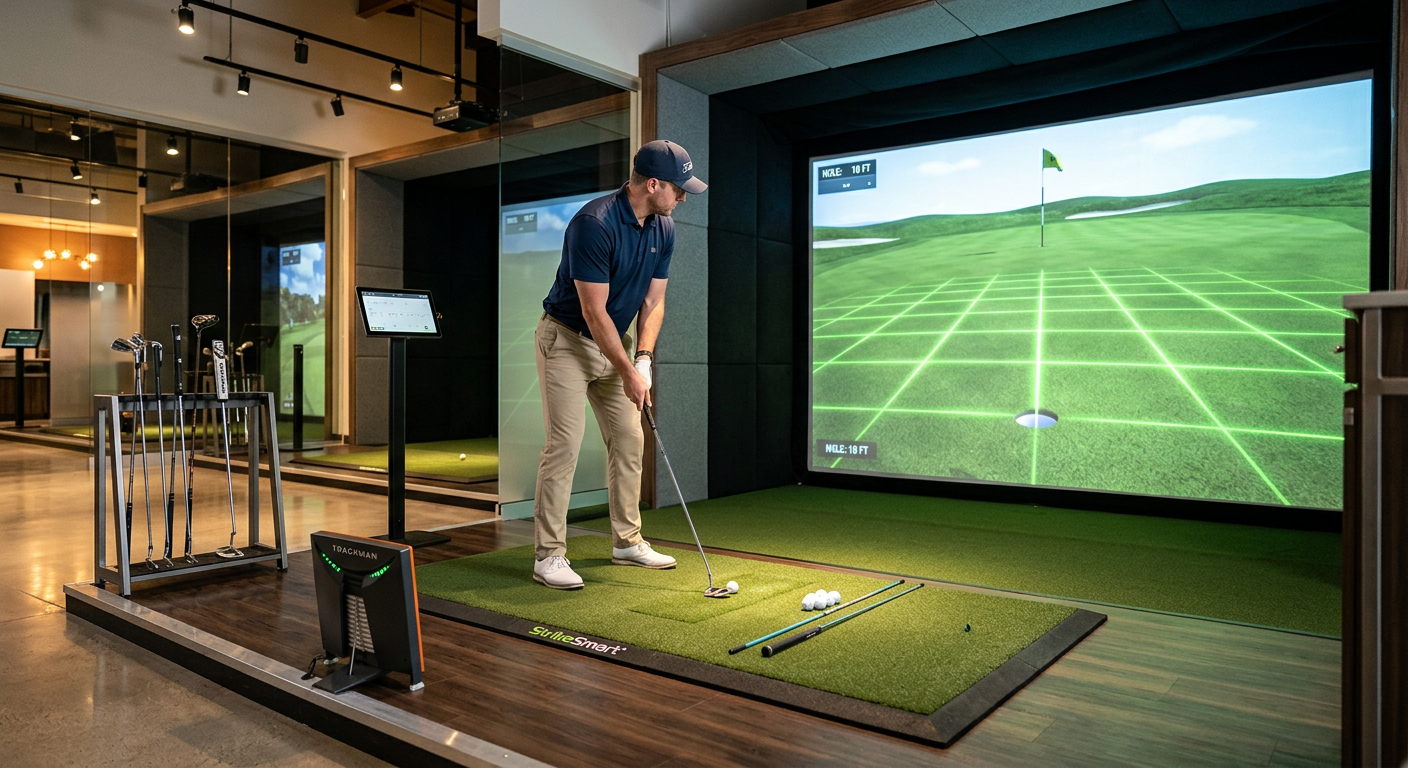
- A quality putting mat that mimics roll helps translation to outdoors.
- If your simulator doesn’t include a cup, add a marked target and a small physical cup for visual feedback.
Putter and ball selection
- Use the same putter you play outdoors to build transfer.
- White balls are usually best for cameras; some systems prefer marked balls.
Software settings
- Set green speed, firmness, and break to match your home course or practice goals.
- Update software and firmware regularly to keep tracking accurate.
Add-on sensors and aids
- Consider a dedicated putting sensor if you need finer metrics.
- Laser alignment tools and training mirrors can help with setup.
These hardware choices change how you think about how do you putt on a golf simulator. Invest in a few reliable items and you’ll get better feedback.
Measuring progress: metrics to track and how to interpret them
Key metrics to log
- Putt make percentage at 3, 6, 10, and 20 feet.
- Average ball speed and roll-out distance.
- Number of putts per simulated round or practice session.
How to interpret numbers
- Use make percentage to track aim and consistency.
- Use speed metrics to track touch and distance control.
- Look for trends over weeks rather than single-session spikes.
Strokes gained and advanced stats
- If your simulator gives strokes-gained putting, use it to compare to baseline performance.
- Break down metrics into short, mid, and long categories to find weak areas.
Log your sessions and set small, measurable goals. That’s the most direct answer to how do you putt on a golf simulator with meaningful improvement.

Two to three quick common questions (PAA-style)
What distance should I start with on a simulator?
- Begin at 3 to 6 feet to dial in setup and stroke. Move outward once you hit 8–10 successful putts.
How often should I calibrate my simulator for putting?
- Calibrate before each serious session or when conditions change, like lighting or camera position. Small checks keep feedback accurate.
Does indoor putting feel different than outdoors?
- Yes, indoors can feel faster or slower depending on mat and software. Practice for speed adjustment until you find a reliable feel.
Frequently Asked Questions of how do you putt on a golf simulator
How do I get accurate speed on a golf simulator?
Calibrate green speed and use consistent balls. Do a few test putts and adjust the software until roll matches your expectations.
Can I use my regular putter on a simulator?
Yes, using your normal putter helps the feel transfer to the course. Make sure the putter head is visible to the camera if the system requires it.
Are simulator greens realistic for reading breaks?
Modern simulators model contours well, but subtle grain and wind are not always replicated. Use simulator maps, but cross-check with feel and aim.
How often should I practice putting on a simulator?
Short sessions 3–4 times per week beat long, infrequent sessions. Aim for focused 20–30 minute drills that target speed and line.
What is the best drill for lag putting indoors?
Use the lag-and-stop drill from 30+ feet, aiming to stop within a 3-foot circle. Track your success rate to measure improvement.
Do weather and lighting affect putting accuracy?
Yes, cameras and sensors need stable lighting; glare and shadows can disrupt tracking. Keep lighting even and consistent for best results.
How do I know if my simulator is misreading putts?
If your measured roll or angle seems inconsistent, re-check ball type, camera alignment, and software settings. Run repeat tests to confirm.
Conclusion
Mastering how do you putt on a golf simulator comes down to consistent setup, honest calibration, and focused practice. Start with clear setup routines, work on speed control and alignment, and use simple drills that give measurable feedback. Track your metrics, fix common mistakes, and treat the simulator as a lab for real improvement.
Take action this week: run a baseline session, log your results, and pick one drill to repeat for two weeks. Share your progress or questions below, subscribe for more tips, or try one of the drills in your next practice session.